EN TR
← PROJECTS
TOOLS
25–27 Jun 2024

CamApp: An Android Camera Built in Two Days

A feature-rich Android camera app built in 48 hours with no prior Kotlin experience, as the take-home assignment that earned an internship at Mimiqit in Finland. Built with Kotlin, Android, and CameraX.

KotlinAndroidCameraX

CamApp was the take-home assignment for the internship recruitment process at Mimiqit in Espoo, Finland, where I went on to complete my second internship. The brief was open ended but straightforward: build a working Android camera app with as many features as possible. The catch was the timeline, 48 hours, sharp.

The complication was Kotlin, which I had no prior experience with. A good portion of those two days went into reading documentation and watching guides, not in one block at the start but threaded throughout, looking things up the moment I hit something unfamiliar. The goal was never to learn the whole language, only enough of it to build an app good enough to get me in. The camera work runs on CameraX, which took a fair amount of its own reading to get comfortable with. The rest was building through nearly every waking hour, right up to the final moment.

What it does
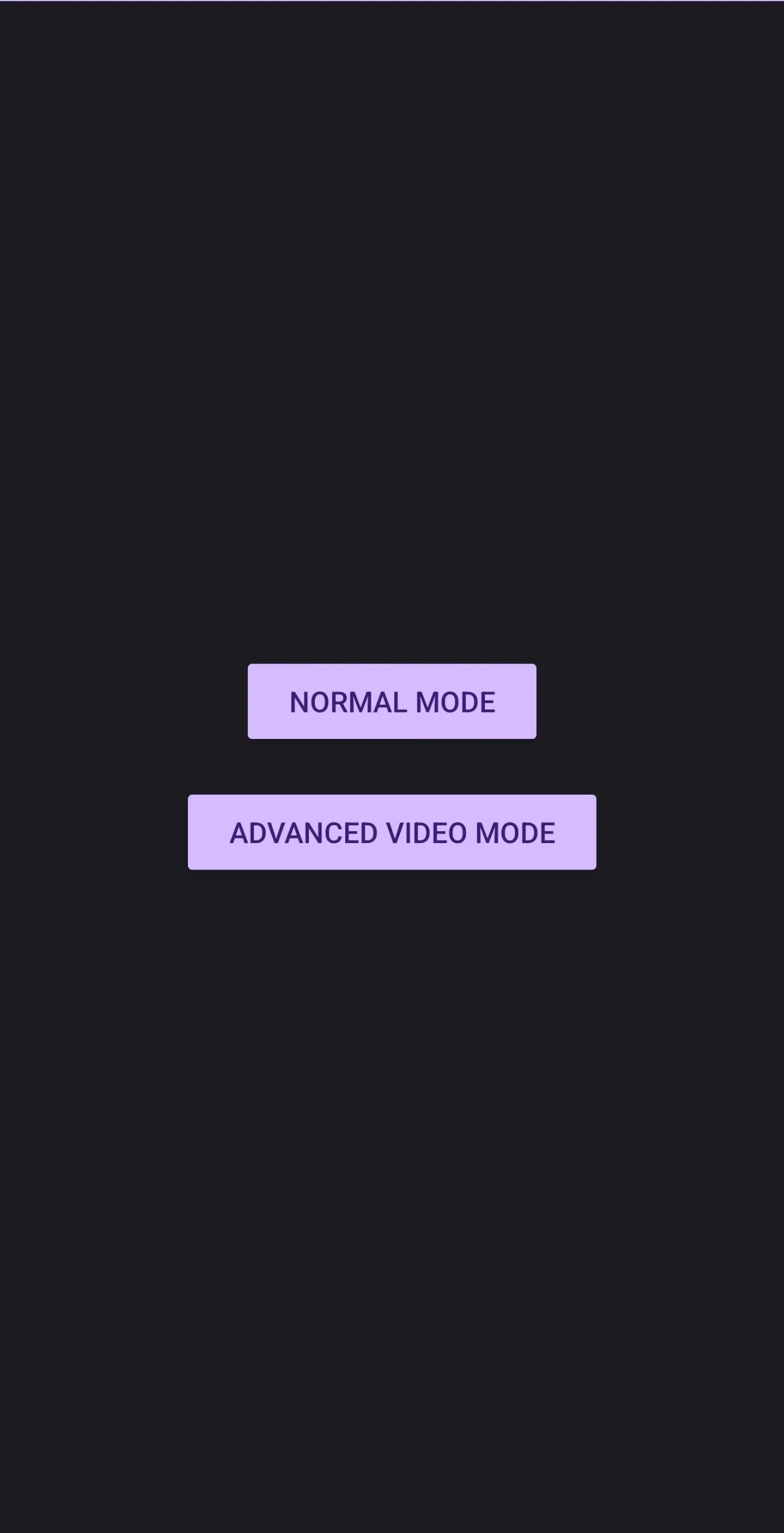
CamApp mode selection screen with Normal Mode and Advanced Video Mode buttons
The landing screen: a choice between Normal Mode and Advanced Video Mode

CamApp opens on a choice between two modes.
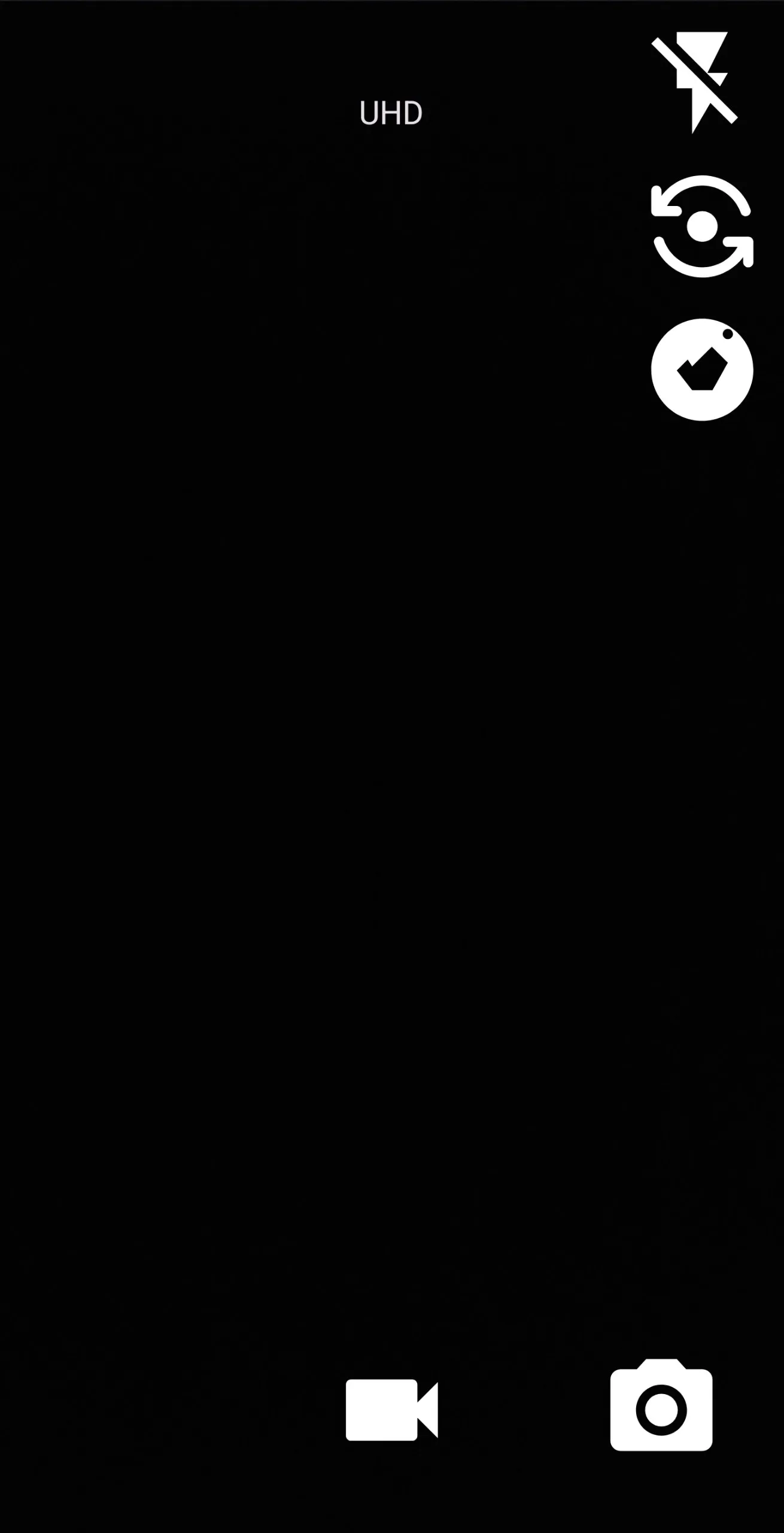
Normal Mode viewfinder showing UHD label, flash, flip, capture, and record controls
Normal Mode, with flash, camera flip, UHD quality, and photo/video capture

Normal Mode covers the essentials: photo and video capture, flash toggle, front and back camera flip, a quality selector that reaches up to UHD, a recording timer, and a thumbnail of the last shot.
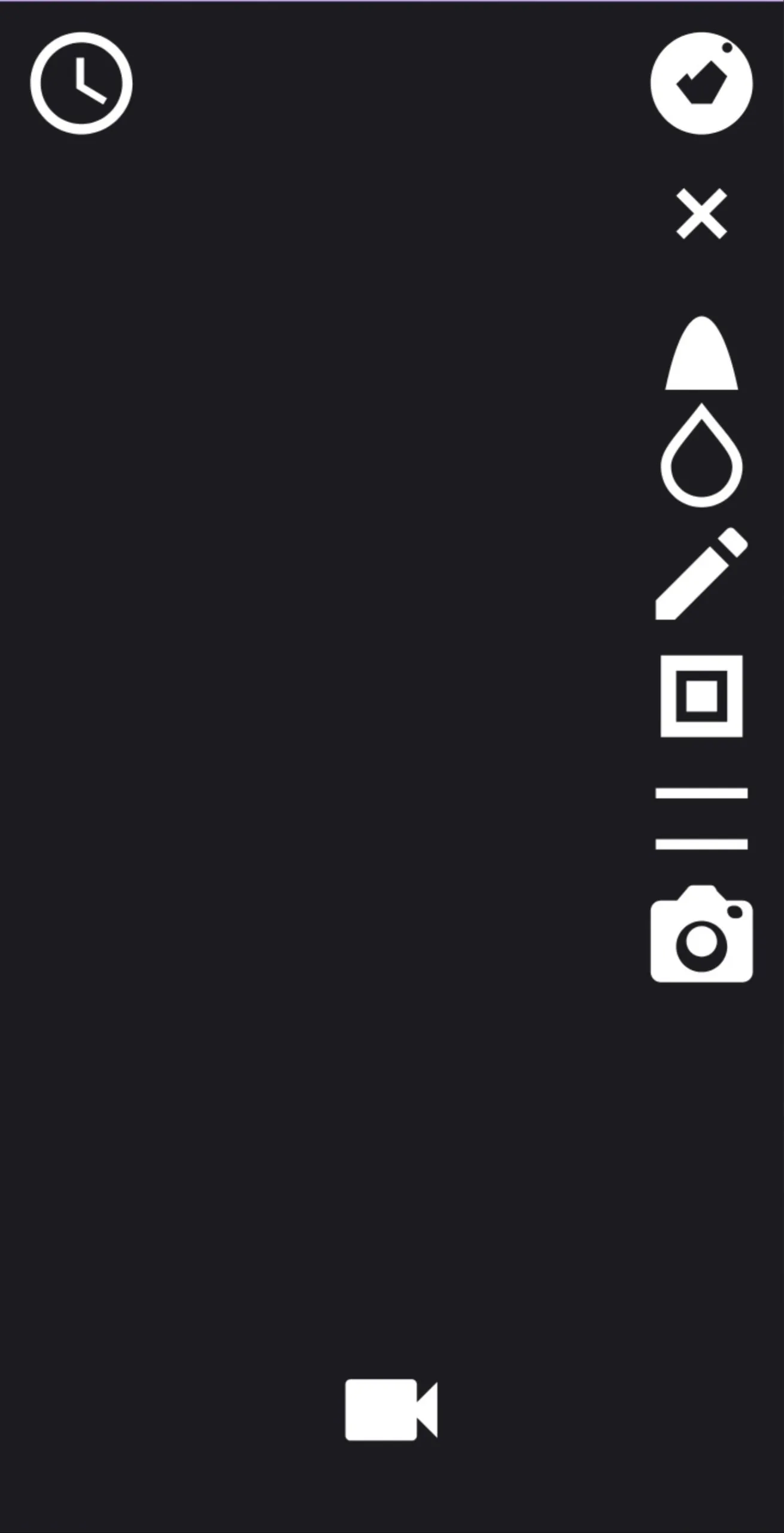
Advanced Video Mode with a sidebar of live effect icons and slow-motion control
Advanced Video Mode, with slow motion and a sidebar of live effects

Advanced Video Mode is the more interesting half. Alongside slow-motion recording, it applies live effects to the feed during filming, including black and white, negative, posterize, aqua, solarize, blackboard, grayscale, and a vintage look.

The takeaway

The most rewarding part was how quickly it came together. Picking up a new language against the clock, living in the documentation for two days, and finishing with something that worked and went on to earn the internship was a genuinely satisfying result. A new stack turns out to be far less daunting than it looks once the work is underway.

EN TR
← PROJECTS
TOOLS
25–27 Jun 2024

CamApp: An Android Camera Built in Two Days

A feature-rich Android camera app built in 48 hours with no prior Kotlin experience, as the take-home assignment that earned an internship at Mimiqit in Finland. Built with Kotlin, Android, and CameraX.

KotlinAndroidCameraX

CamApp was the take-home assignment for the internship recruitment process at Mimiqit in Espoo, Finland, where I went on to complete my second internship. The brief was open ended but straightforward: build a working Android camera app with as many features as possible. The catch was the timeline, 48 hours, sharp.

The complication was Kotlin, which I had no prior experience with. A good portion of those two days went into reading documentation and watching guides, not in one block at the start but threaded throughout, looking things up the moment I hit something unfamiliar. The goal was never to learn the whole language, only enough of it to build an app good enough to get me in. The camera work runs on CameraX, which took a fair amount of its own reading to get comfortable with. The rest was building through nearly every waking hour, right up to the final moment.

What it does

CamApp mode selection screen with Normal Mode and Advanced Video Mode buttons
The landing screen: a choice between Normal Mode and Advanced Video Mode

CamApp opens on a choice between two modes.

Normal Mode viewfinder showing UHD label, flash, flip, capture, and record controls
Normal Mode, with flash, camera flip, UHD quality, and photo/video capture

Normal Mode covers the essentials: photo and video capture, flash toggle, front and back camera flip, a quality selector that reaches up to UHD, a recording timer, and a thumbnail of the last shot.

Advanced Video Mode with a sidebar of live effect icons and slow-motion control
Advanced Video Mode, with slow motion and a sidebar of live effects

Advanced Video Mode is the more interesting half. Alongside slow-motion recording, it applies live effects to the feed during filming, including black and white, negative, posterize, aqua, solarize, blackboard, grayscale, and a vintage look.

The takeaway

The most rewarding part was how quickly it came together. Picking up a new language against the clock, living in the documentation for two days, and finishing with something that worked and went on to earn the internship was a genuinely satisfying result. A new stack turns out to be far less daunting than it looks once the work is underway.

ayberk@dev
EN TR
← PROJECTS
~/projects$ cat camapp.md
TOOLS
25–27 Jun 2024

CamApp: An Android Camera Built in Two Days

A feature-rich Android camera app built in 48 hours with no prior Kotlin experience, as the take-home assignment that earned an internship at Mimiqit in Finland. Built with Kotlin, Android, and CameraX.

#Kotlin#Android#CameraX

CamApp was the take-home assignment for the internship recruitment process at Mimiqit in Espoo, Finland, where I went on to complete my second internship. The brief was open ended but straightforward: build a working Android camera app with as many features as possible. The catch was the timeline, 48 hours, sharp.

The complication was Kotlin, which I had no prior experience with. A good portion of those two days went into reading documentation and watching guides, not in one block at the start but threaded throughout, looking things up the moment I hit something unfamiliar. The goal was never to learn the whole language, only enough of it to build an app good enough to get me in. The camera work runs on CameraX, which took a fair amount of its own reading to get comfortable with. The rest was building through nearly every waking hour, right up to the final moment.

What it does

CamApp mode selection screen with Normal Mode and Advanced Video Mode buttons
The landing screen: a choice between Normal Mode and Advanced Video Mode

CamApp opens on a choice between two modes.

Normal Mode viewfinder showing UHD label, flash, flip, capture, and record controls
Normal Mode, with flash, camera flip, UHD quality, and photo/video capture

Normal Mode covers the essentials: photo and video capture, flash toggle, front and back camera flip, a quality selector that reaches up to UHD, a recording timer, and a thumbnail of the last shot.

Advanced Video Mode with a sidebar of live effect icons and slow-motion control
Advanced Video Mode, with slow motion and a sidebar of live effects

Advanced Video Mode is the more interesting half. Alongside slow-motion recording, it applies live effects to the feed during filming, including black and white, negative, posterize, aqua, solarize, blackboard, grayscale, and a vintage look.

The takeaway

The most rewarding part was how quickly it came together. Picking up a new language against the clock, living in the documentation for two days, and finishing with something that worked and went on to earn the internship was a genuinely satisfying result. A new stack turns out to be far less daunting than it looks once the work is underway.