LeaveManager: A Desktop Leave System Running Real Government Offices
A .NET 8 desktop application that encodes Turkish leave law and office rules into one tool, built for a single manager and now used organically to manage around 60 people across multiple government offices.
LeaveManager is a Windows desktop application that manages staff leave for government offices: tracking who is off and when, enforcing the leave entitlements set by Turkish law, applying each office’s own internal rules, and producing a clean annual overview on demand. It began as a personal project to solve one specific person’s problem, and then, without any of it being planned, spread by word of mouth to other offices. It is currently in active use managing leave for around 60 people, and remains in daily use today.
Where it came from
The first version was built for a single office manager who was tracking the whole team’s leave by hand, juggling who was entitled to how many days, who had already taken what, who could be off at the same time as whom, and whether each request actually complied with the law. That is the kind of bookkeeping that is tedious, error-prone, and surprisingly hard to get right consistently across a year and a whole team.
The application replaced that manual process with a single tool that knew all the rules and did the checking automatically. The first working version came together over a few weeks, with a usable build ready in early 2026. What happened next is the part worth telling: other offices heard about it, and started installing it themselves through the public GitHub releases page. It spread on its own. That unplanned adoption is what turned a personal utility into something that had to be taken seriously as software. At first, I tried adapting it office by office to fit each one’s specific rules, but I soon realized that approach was neither feasible for me to maintain nor fully satisfactory for users which is what ultimately motivated the next-generation remake now in development.
What it does
The core idea is that every constraint around leave lives in one place and is enforced automatically, so the person managing leave never has to hold it all in their head or check it by hand.
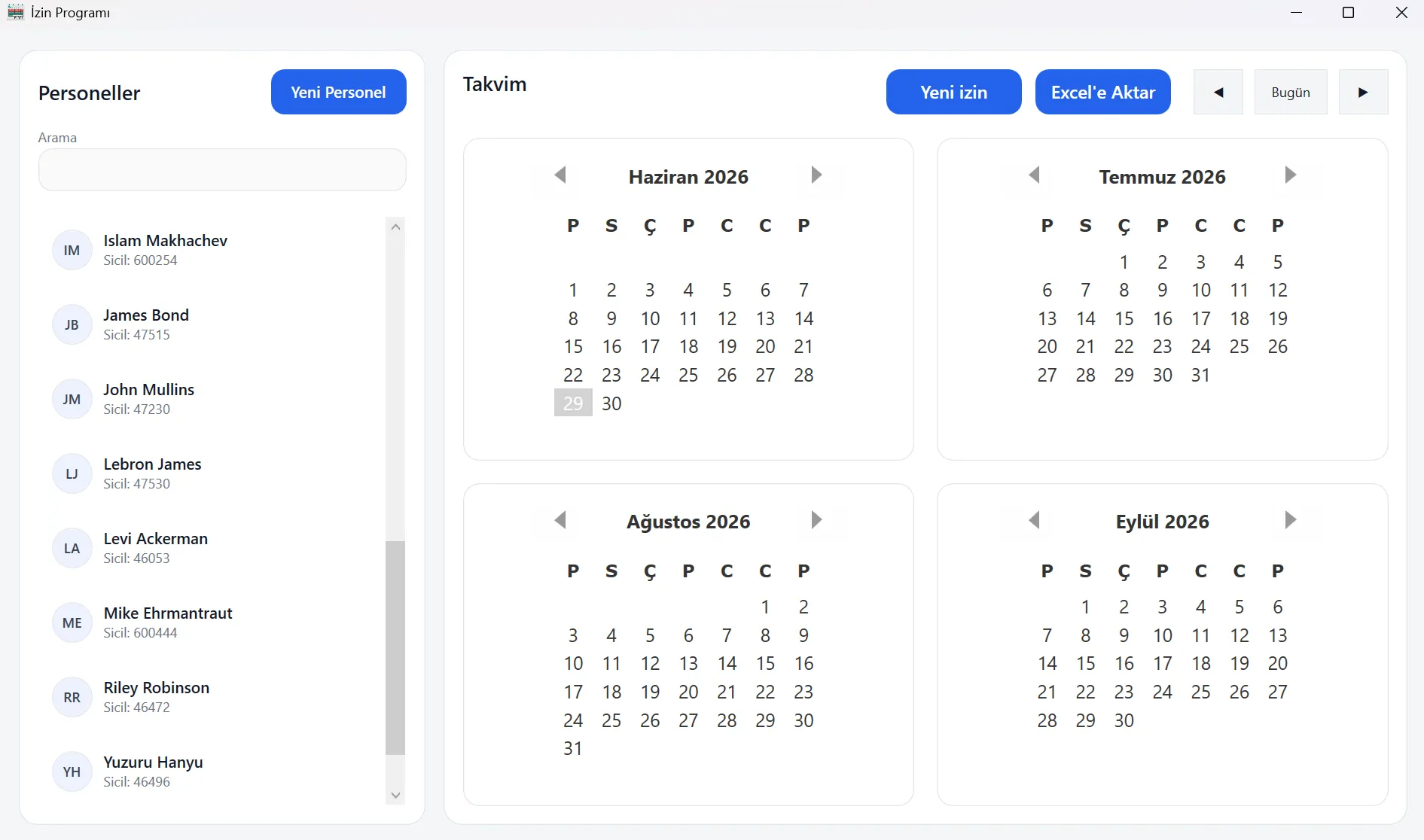
The main screen pairs a searchable staff list with a rolling four-month calendar. Selecting an employee highlights their leave directly on the calendar, colored by type, so a manager can see at a glance who is off and when across the coming months.
It encodes the actual law. Leave entitlements are not arbitrary numbers. Annual leave carries the legal entitlement with carry-over from the previous year capped at 30 days, and medical leave resets to its annual allowance each year with no carry-over. Balances are tracked per employee per year, with room for manual adjustments where a real situation requires it.
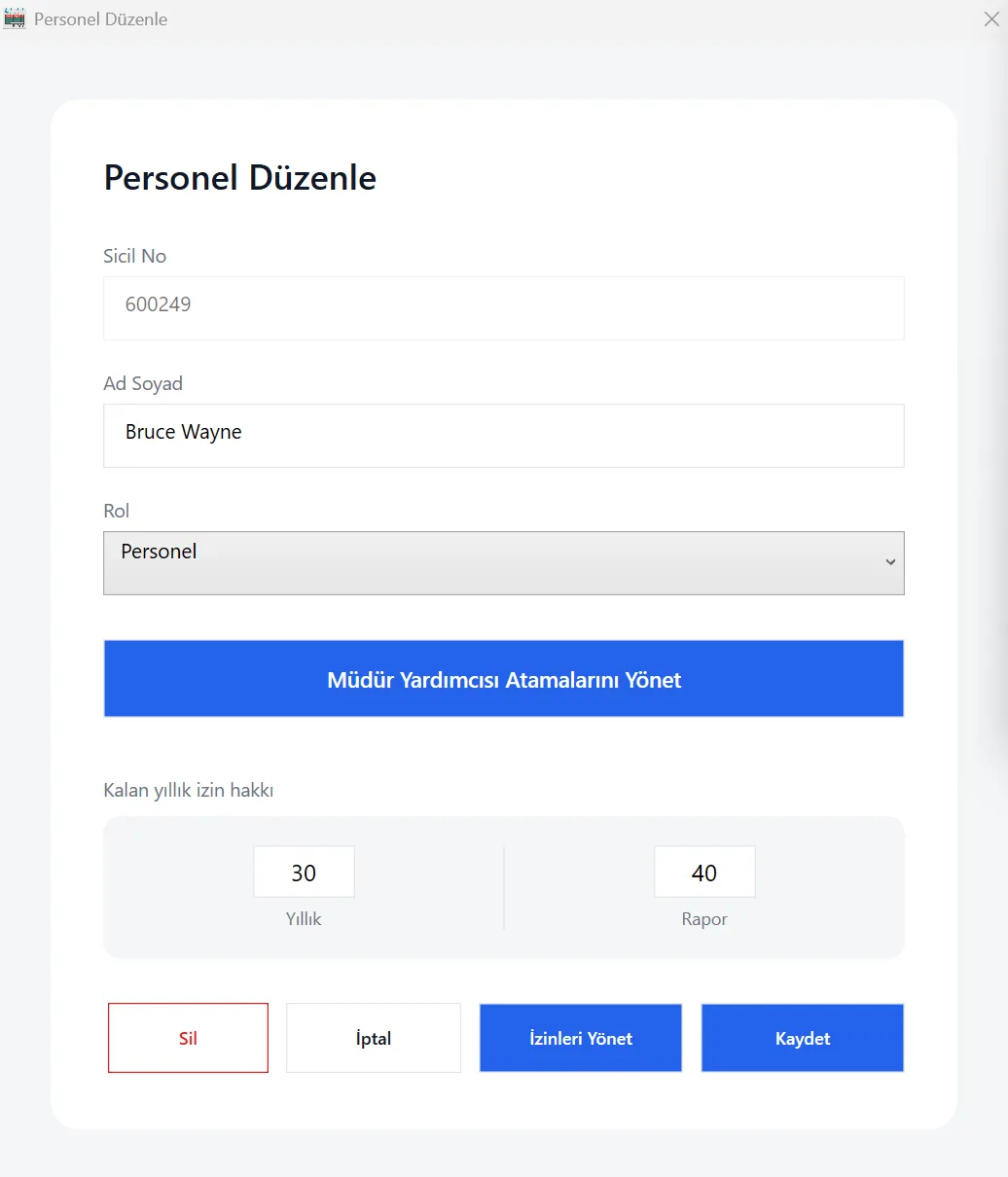
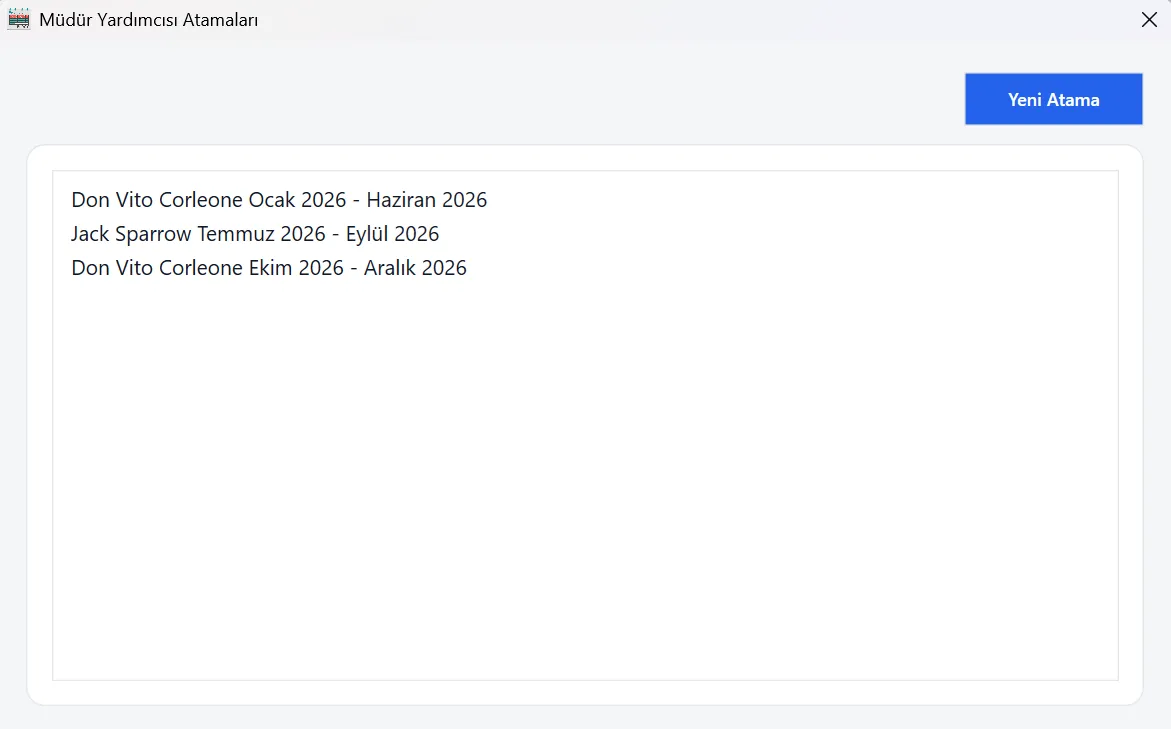
It enforces the office’s own rules, not just the law. Beyond legal entitlements, real offices have operational rules about who can be away at the same time, and the system encodes them as hard checks that run before any leave is accepted. A leave cannot be backdated. It cannot overlap another leave for the same person. No more than two people under the same assistant manager can be on annual leave on the same day, so a team is never left uncovered. Long leaves of more than five days must have at least a two-month gap between them, a fairness and continuity rule, with medical leave deliberately exempted. And every leave must fall under a valid manager assignment for the months it spans.
That last rule connects to the oversight model. Responsibility for a team rotates between managers over the year, so the system tracks, month by month, which manager covers which period.
It produces the overview in one click. All of this would be of limited use if getting a clear picture back out were hard. A single button exports the entire year to a formatted Excel sheet.
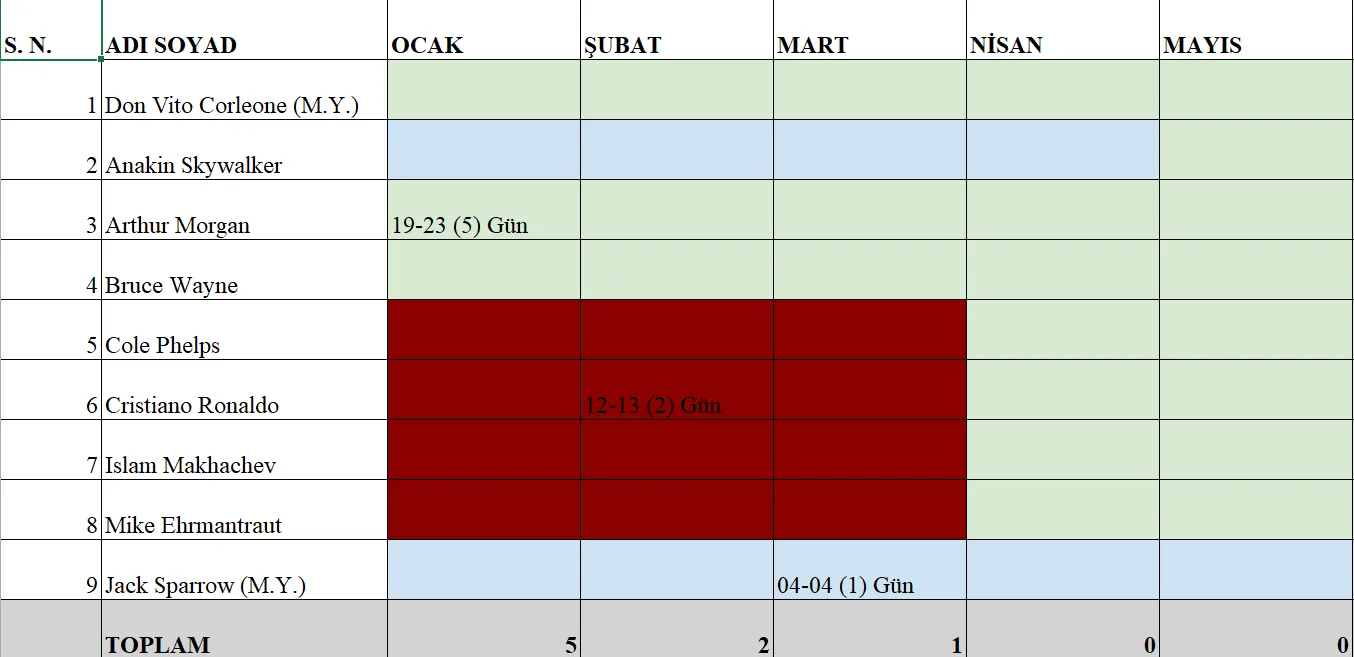
In the exported sheet, each row is an employee and each column a month. Cell color encodes which manager an employee falls under for that month, turning the rotating-oversight model into something visible at a glance, and red marks a period with no manager assigned, where no leave can be recorded at all. Recorded leaves appear in place with their dates and day counts, and the bottom row totals leave per month. It is the kind of summary that previously took real effort to assemble by hand, available instantly.
How it is built
Under the surface it is a deliberately straightforward, robust desktop application: .NET 8 and WPF for the interface, with a clean separation between the UI, the business logic, and the data layer.
Data is stored in a local SQLite database, accessed directly through ADO.NET rather than an ORM, a deliberate choice to keep the data layer transparent and dependency-light. The schema is built up through a small set of hand-written migrations run at startup, so a new install or an update brings the database to the current shape automatically.
The validation logic is the heart of the system, and it is structured as a chain of independent rules, each one a small self-contained class: date-range validity, no backdating, no overlap, the assistant-coverage limit, manager-assignment existence, the long-leave gap. A leave request is only accepted if it passes every rule, and the whole thing, the leave plus its balance updates, is written inside a single database transaction. If anything fails, the transaction rolls back cleanly and the database is never left in a half-updated state. Leaves that span a year boundary are split across the two years’ balances automatically.
Distribution was handled through ClickOnce, with update manifests hosted on GitHub Pages, so the app would check for and pull updates on launch. For a single technical author shipping to a handful of offices, that meant people got new versions without any manual reinstalling.
What it doesn’t do, and why that led to Livo
The honest framing of this version is that its limitations are the limitations of its scope. It was built to do one job well for one office, and it does. But as it spread, the very things that kept the first version simple became the reasons it needed a successor.
It is local-only. All data lives in a single SQLite file on one machine. That is perfectly fine for one manager working alone, but the moment a manager, their assistants, and other responsible people all need to view or update the same leave data, a single local file cannot support them. Several people cannot safely share and edit one database sitting on one computer.
Its rules are hardcoded. The legal entitlements and the office rules are written directly into the code. That is exactly what made the first version fast to build and reliable for the office it was built for, but it also means it encodes one office’s policies. Different offices have genuinely different internal rules, and serving them from a single hardcoded rule set does not work.
Moving data around is manual. Because the database is just a local file, users who wanted to back up their data or move it to another machine were literally copying the .db file by hand, which is both inconvenient and risky for non-technical staff.
Updates and distribution were informal. ClickOnce auto-updating on launch worked, but it was finicky in practice, and “everyone installs from a GitHub link” has no accounts, no central control, and no real way to manage a growing set of offices.
I don’t think any of these were oversights; each was the right call for a personal tool that got out of control. Together, though, they define the limitations of the current system clearly enough to design its successor: a hosted database so a whole office works from the same data, accounts and roles for the people who share that data, a configurable rule system so each office can express its own policies, and a clean path for existing users to bring their current data with them when they move over. LeaveManager is still running offices today, and will be retired only once its successor is ready to take its place.